CSV Import/Export
ℹ️
You must be logged in as an admin and have enabled Import via CSV to import data.
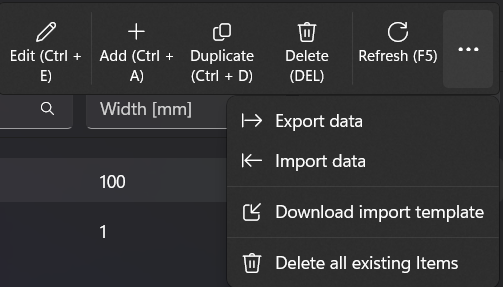
All data on all pages (except MeshAngle) can be imported or exported via a CSV file.
If you want to import your own data, you can download the CSV template for the current page.
❗
Each page has its own strict CSV file and only this can be imported on this page
❗
It is important to set the data types correctly in the CSV.
❗
The CSV import can be viewed as a backup, but it does not serve as a replacement for an external database backup
💡
For detailed report you can look in the logs.
❗
There is no check for duplicate or existing entries. If data is missing or contains an error, a default value is simply set. The user is responsible for ensuring that the imported data is correct.
The following order is recommended for importing datasets: